Frames Per Second, Frames Per Sanity: Why VR's Refresh Rate Obsession Is Completely Justified
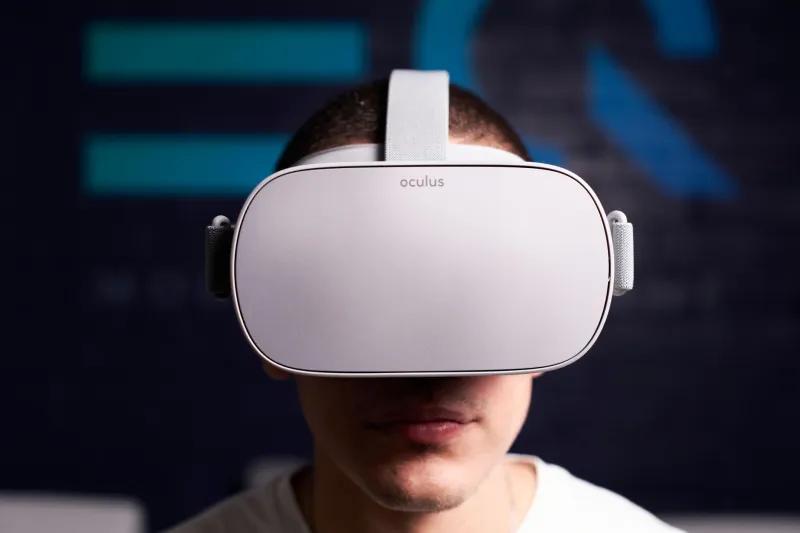
If you've ever spent time in gaming forums, you've seen the frame rate debates. Console players arguing that 30fps is "cinematic." PC purists insisting nothing below 144Hz is acceptable. It can feel like a lot of noise over numbers most people can barely perceive. Then you put on a VR headset, and suddenly the obsession makes complete sense.
Frame rate in virtual reality isn't a preference. It's a physiological necessity. And understanding why that's true goes a lot deeper than "it looks smoother."
Why Your Brain Is a Terrible Liar — Until It Isn't
Here's the thing about VR that makes it fundamentally different from every other gaming platform: the display is attached to your face. When you turn your head, the world is supposed to move with you — instantly, perfectly, without any lag or stutter. Your vestibular system, the part of your inner ear that tracks movement, is constantly sending signals to your brain. When the visual information from the headset doesn't match what your inner ear is reporting, your brain interprets that mismatch as poison.
Seriously. That nausea you feel during low-frame-rate VR? That's an ancient biological response. Your ancestors who felt sick when their senses disagreed were probably being poisoned. Your brain still runs that same code.
This is why 60fps — perfectly acceptable on a TV across the room — feels genuinely awful in a headset. The threshold most VR researchers and developers have landed on is 90fps as the minimum for comfortable extended play. Below that, the motion-to-photon latency (the delay between your physical movement and the display updating) becomes perceptible. And when it's perceptible, it's nauseating.
The 90/120 Divide and Why It Actually Matters
Most modern standalone headsets, including the Meta Quest 3, now support up to 120Hz refresh rates in certain apps and games. PC-tethered headsets like the Valve Index push even further, hitting 144Hz. So why does this matter beyond bragging rights?
At 90fps, you're comfortable. At 120fps, something shifts. The experience stops feeling like "really good VR" and starts feeling like a window. Movements track with an immediacy that's hard to describe until you've felt it. Picking up a virtual object at 120fps feels different — more present, more instinctive — than at 90fps. It's not just visual. It changes the tactile feedback loop in your brain.
The catch, of course, is that hitting 120fps consistently is genuinely hard to do. Modern VR titles push GPUs hard even at 90fps. Chasing 120 often means dialing back resolution, shadow quality, or draw distance — tradeoffs that can undercut the immersion you're trying to enhance.
The Hardware Arms Race Nobody Told You About
Manufacturers are quietly fighting a refresh rate war right now, and it's going to reshape budget expectations over the next couple of years. Meta's Snapdragon XR2 Gen 2 chip in the Quest 3 already handles 120Hz for supported content, but the GPU headroom isn't always there for demanding titles. PSVR2 tops out at 120Hz with foveated rendering doing a lot of the heavy lifting. PC headsets from Varjo and Pimax are chasing even higher numbers for enterprise and simulation markets.
The interesting development is reprojection technology — techniques like Meta's Application SpaceWarp and Valve's Motion Smoothing that synthesize in-between frames when your hardware can't hit the native target. These tools are genuinely impressive. They're not perfect, but they've gotten good enough that many players can't easily tell the difference in fast-moving games. For slower, more atmospheric experiences, though, the artifacts become obvious.
Reprojection is a band-aid. A really good band-aid — but still a band-aid.
Practical Tips for Hitting Your Frame Targets Without Selling a Kidney
So you want consistent frame rates in VR but you're not dropping $1,500 on a new GPU. Here's what actually works.
Fixed Foveated Rendering (FFR): Most modern headsets let you enable this in developer settings. It renders the edges of your field of view at lower resolution, where your eyes are least sensitive. The GPU savings are real and the visual impact is minimal for most content.
Resolution Scaling: Don't run at native resolution if your hardware is struggling. Dropping to 80% of native in SteamVR or the Quest Air Link settings often recovers 15–20fps with barely noticeable visual changes.
Background processes are the enemy: VR is unforgiving of background CPU and GPU load. Close your browser, your streaming software, your Discord overlay. All of it. Your frame pacing will thank you.
V-Sync and frame caps: In pancake gaming, uncapped frame rates can be fine. In VR, inconsistent frame pacing — where frames arrive unevenly — is often worse than a locked lower rate. Locking to your headset's native refresh with consistent delivery beats spiking to 140fps and dropping to 70fps randomly.
Upgrade your cable if you're tethered: Seriously. A bad USB cable between your PC and headset introduces latency that compounds frame rate problems. A quality USB 3.2 or DisplayPort cable is a $30 fix that genuinely changes the experience.
The Number Isn't Everything — But It's Close
There's a version of this conversation that ends with "just enjoy the game and stop obsessing over specs." And for flat-screen gaming, that advice has merit. For VR, it doesn't really hold up. Frame rate isn't about elitism or e-peen — it's about whether the experience is physically comfortable or not.
The good news is that developers are getting smarter about optimization, headsets are getting more efficient, and the tools for maintaining frame targets are better than they've ever been. You don't need bleeding-edge hardware to have a great time in VR. But you do need to understand why those numbers on the performance overlay actually matter — and now you do.